
When Life Gives You a Dead Hard Drive, Make a Bootable USB!

How to Spot an Online Scammer: The Ultimate Geek Guide

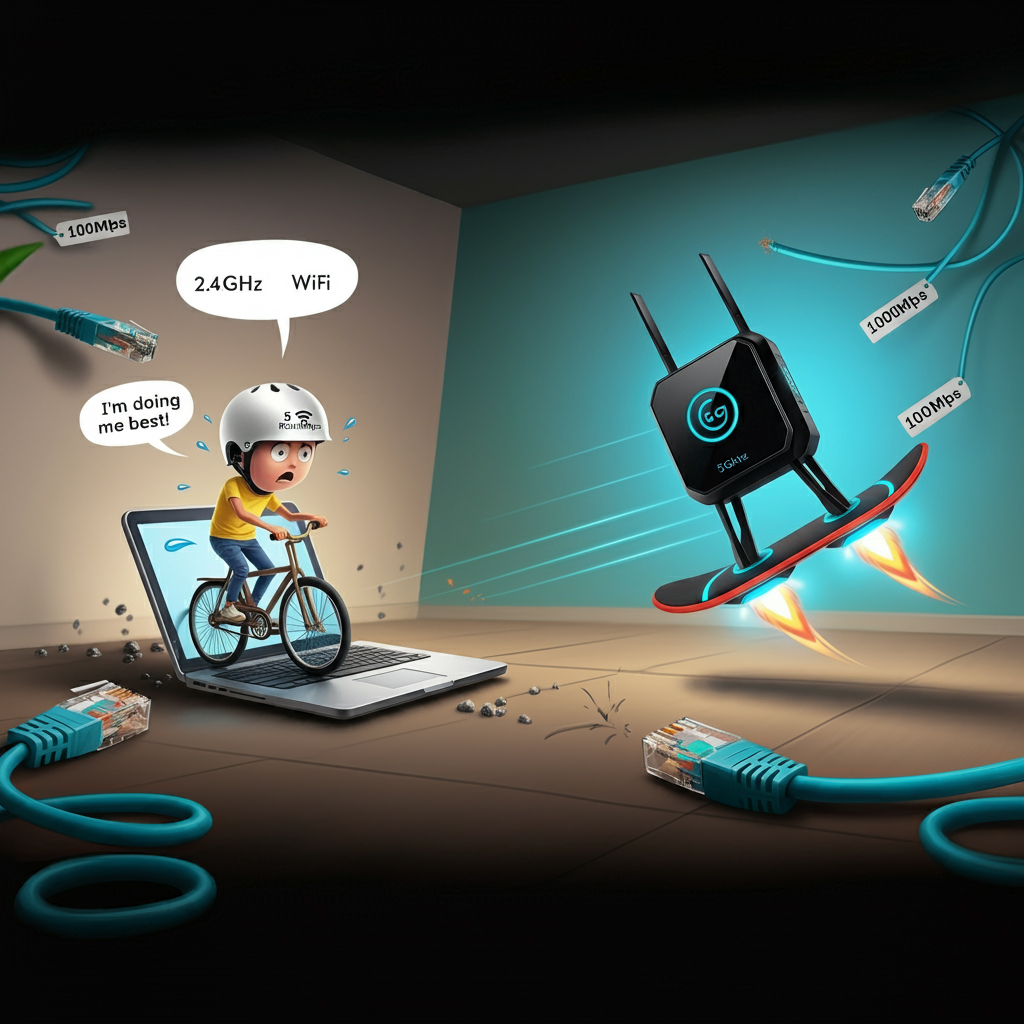
Ah, the nostalgia of 802.11b/g/n Wi-Fi – it's like the Nokia 3310 of wireless networking, still kicking but definitely showing its age. You’re sitting there with your beloved laptop from the 2010s, and now you’ve upgraded your life (or at least your Wi-Fi) with a shiny Rain 5G router. The real question: Can these two tech dinosaurs and futuristic marvels get along?
Spoiler alert: Yes, but it’s going to feel like you’re trying to power your Tesla with a hamster wheel. 🐹⚡
Understanding Your Wi-Fi Alphabet Soup
So, here’s the deal: Your laptop’s Wi-Fi, equipped with the 802.11b/g/n protocol, is kind of like an old car trying to drive on a superhighway designed for futuristic hovercars (aka 5G).
Let’s break down the Wi-Fi letters:
802.11b/g/n: This is Wi-Fi from the old days when "buffering" was still a part of life. The “n” is the best out of the three – it can theoretically handle speeds up to 300Mbps, but most of the time, you’re lucky to get even 72Mbps in real-world conditions.
5G (Rain's Router): This is where the magic happens. 5G is like Wi-Fi on steroids, capable of handling the next level of internet sorcery with lightning-fast speeds and less buffering than your cousin’s Netflix binges.
Can They Connect?
The good news is that your laptop and Rain’s 5G router can connect! But here’s the kicker: You’ll be stuck in the 2.4GHz lane, which is like using a Ferrari to deliver pizza – there’s so much more potential than you’re able to tap into.
2.4GHz vs. 5GHz: Who’s Winning the Wall Penetration Battle? 🛑🧱
Here’s where things get spicy. The 802.11b/g/n Wi-Fi card in your laptop loves the 2.4GHz frequency. It’s like the tortoise of the Wi-Fi world: slower, but more reliable for long distances and really good at pushing through walls. If you’ve got thick walls, the 2.4GHz band is your guy.
2.4GHz: Think of it like Gandalf, shouting, “You shall not pass!” but, like, to your Wi-Fi dead zones. It’s got decent range, but expect slower speeds and more interference from baby monitors, microwaves, and even your neighbor’s dodgy Wi-Fi.
5GHz: This is the Wi-Fi sprinter. It’s faster, handles data transfers with ninja-like agility, but is easily defeated by walls, furniture, and even large potted plants. If your laptop could connect to 5GHz (which it can’t because it's stuck in 2.4GHz mode), it would deliver faster speeds – as long as there aren’t too many walls in the way.
What Happens When Connected to a 100Mbps LAN vs. 1000Mbps LAN?
Let’s say you decide to stop the Wi-Fi shenanigans and plug in directly to your Rain 5G router via good old Ethernet. The difference between a 100Mbps LAN and a 1000Mbps LAN is like comparing a bicycle to a Formula 1 car when it comes to data transfers.
100Mbps LAN: Think of it as a steady middle-aged jogger – reliable, but not breaking any records. If you’re transferring files, expect solid but not mind-blowing speeds. Your 802.11b/g/n laptop will barely notice the difference.
1000Mbps LAN: Now we’re talking! This is the Usain Bolt of LAN connections. If you’ve got this kind of setup and connect via 5G Wi-Fi (if your laptop could), you’d be downloading large files before you could even say "buffering."
Speeds Over 5G and Data Transfers
Now, let’s pretend your laptop could join the 5GHz party. With a Rain 5G router and 1000Mbps LAN, you’d be looking at some seriously impressive speeds. 5G Wi-Fi can offer up to 1Gbps (yes, gigabit speeds), which is like hooking your laptop directly to the fiber of the internet gods.
However, because your laptop is stuck with 2.4GHz Wi-Fi, you’ll max out at much slower speeds – probably around 50-72Mbps – despite all the potential magic that could’ve been. It's like having a Ferrari parked in your driveway and only using it to fetch milk from the corner store.
Conclusion: Can You Connect?
In short: Yes, your Wi-Fi-equipped relic of a laptop can connect to Rain’s 5G router, but it’s going to feel like driving a tricycle on a racetrack. The 2.4GHz band will be your best friend for punching through walls, but the speeds will be nothing compared to what your 5G router is capable of. If you can, ditch Wi-Fi and go wired for that sweet, sweet 1000Mbps Ethernet life.